
GeoRecall
Never Lose a Spot Again
GeoRecall is the simple, high-accuracy tool to bookmark your physical world. From secret hiking trails to that one perfect parking spot, save any location with a single tap.
Stop Searching. Start Recalling.
GeoRecall is more than just a pin on a map; it is your digital memory for the physical world. Built for reliability and speed, our system bypasses complex cloud syncing to prioritize your privacy and on-device security. Whether you are navigating back to your vehicle in a crowded stadium or marking a hidden trailhead in the North Woods, GeoRecall provides a fast, offline-capable experience that puts your most important locations at your fingertips.
Precision Accuracy: Our 3-attempt high-accuracy retry ensures your pin is exactly where you stand, not 160 feet away.
Local-First Privacy: Your locations are encrypted and stored only on your device. We don't track you; we just help you remember.
One-Tap Navigation: Instantly launch driving directions back to any saved spot using your favorite map provider.
See GeoRecall in Action
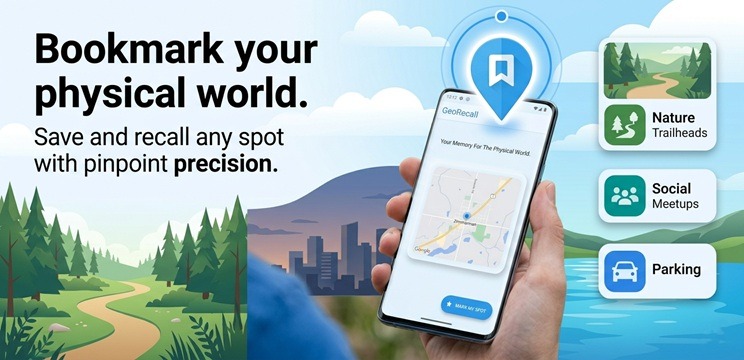
Watch how GeoRecall transforms complex GPS data into instant, actionable locations. Our intelligent dashboard organizes your saved spots into custom categories—like Nature, Travel, and Work—giving you total visibility over every location that matters to you.

Guidance Document
Gallery
Your Digital Location Vault at a Glance
Capturing and Saving Locations
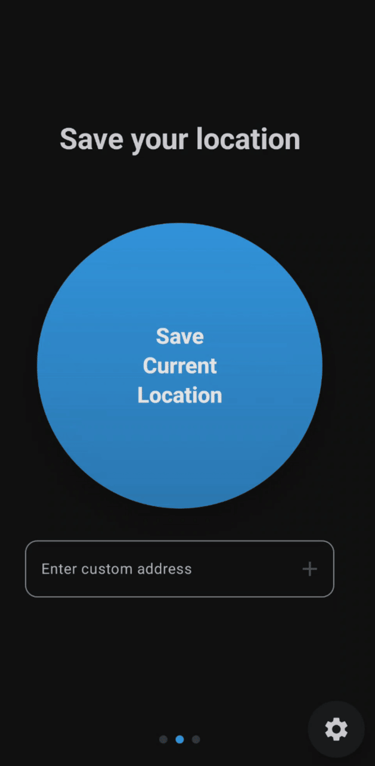
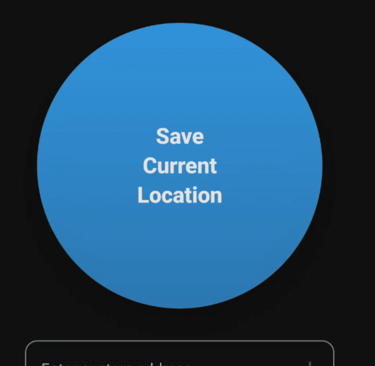
Quick Save Interface: The primary capture screen features a massive, easily accessible "Save Current Location" button for capturing your coordinates on the go.
Custom Address Entry: Users have the flexibility to manually type in a custom address, such as "59 Allen st, New York" rather than relying solely on their current GPS coordinates.
Detailed Location Metadata: When saving a point, a dialog prompts users to add a custom Label (like "My Car"), assign a Category, and include personal Notes.
Save Confirmation: Upon successful capture, a sleek "Location Saved!" chip appears to confirm the data is securely stored
The Secure Location Vault
Biometric Security: A "Vault is Locked" screen ensures privacy by requiring fingerprint or face authentication before users can access their saved data.
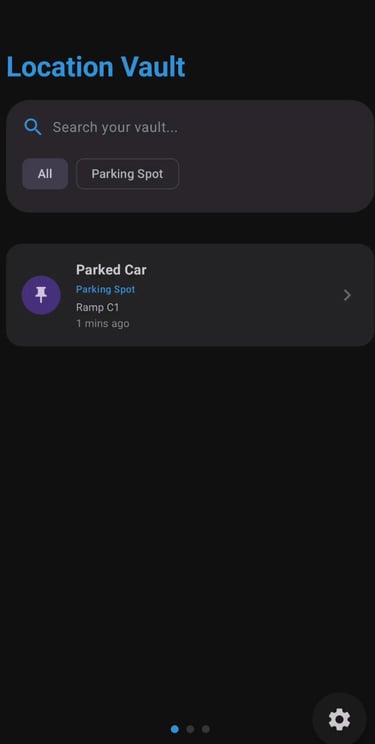
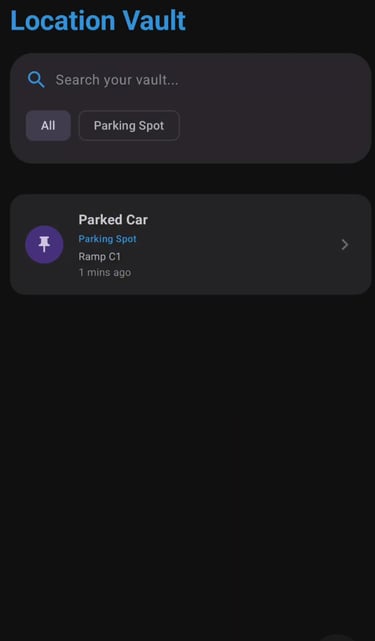
Organized Location Vault: The main vault interface provides a clean, scrollable list of saved points.
Smart Filtering: Users can quickly find specific points using the search bar or interactive filter chips like "All", "Meetup Point", or "Parking Spot".
Vault Management: A dedicated "Manage Locations" screen allows users to easily delete or share their saved entries
Navigation and Retrieval
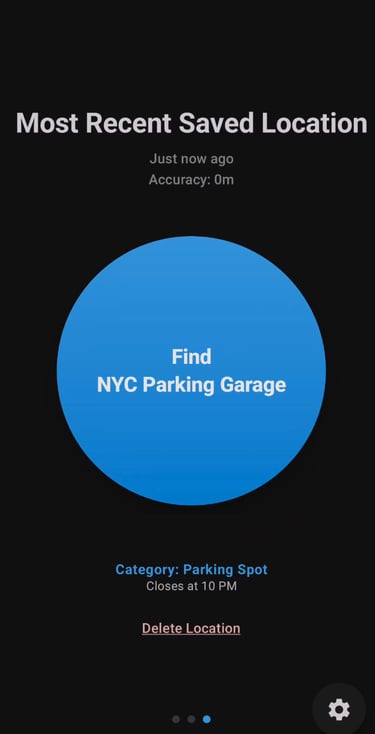
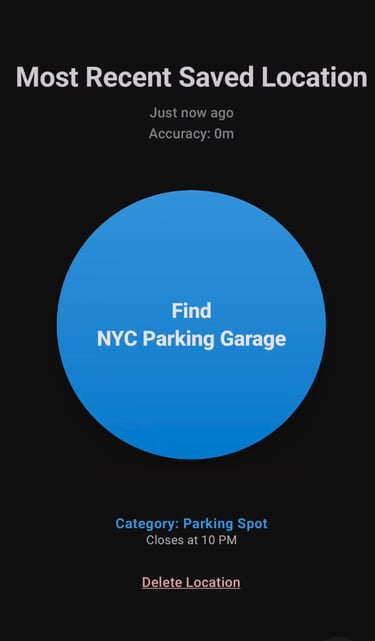
Location Details: Viewing a recently saved location displays its exact accuracy, capture time, category, and a prominent "Find" button.
External Map Integration: Tapping the find button seamlessly launches external navigation apps, such as Google Maps, providing an exact pin, street view, and turn-by-turn directions back to your saved spot
Customization and Settings
Account & Tracking Preferences: The settings menu displays Premium Member status, preferred Map Source, and a dynamic "GPS Accuracy" slider.
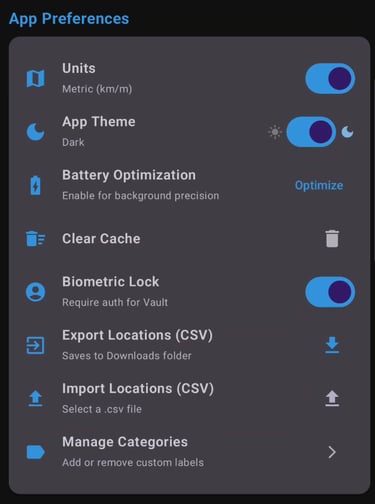
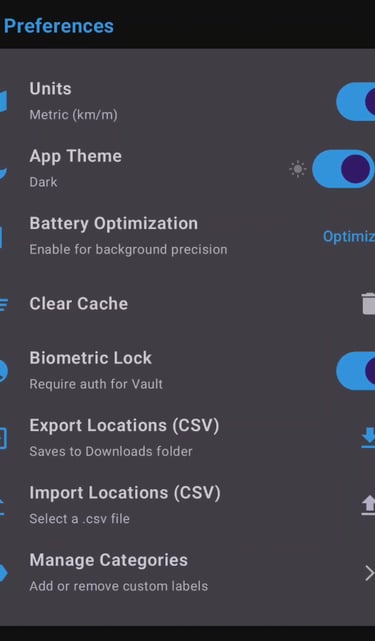
App Preferences & Data Mobility: Users can customize their experience by toggling Metric/Imperial units, activating Dark Mode, enabling the Biometric Lock, and managing database backups via CSV Import/Export.
Custom Categories: Users are not limited to default labels; they can view their extensive category list and add or delete custom categories to perfectly organize their vault
AND MORE...
Continually evolving through rigorous iterative development to deliver superior user experience, enhanced security, and optimized operational workflows.
Have an Idea?
Quick Answers
What is BillTrackr?
BillTrackr is a dedicated financial management tool designed to help you organize and track your bills effortlessly through a centralized dashboard categorized by Upcoming, Overdue, and Paid statuses.
How does the app handle recurring bills?
How secure is my financial data?
What happens if I need to edit a repeating bill?
Can I make partial payments?
Your privacy is a priority; all your data is stored securely and persistently on your local device rather than in volatile memory, ensuring your information remains private and accessible even offline.
Yes, the app includes a "Partial Pay" feature that allows you to record incremental contributions toward a bill and view your remaining balance in real-time.
The app features intelligent scheduling where you can set custom repeat options, such as "Weekly" or "Monthly". Once a recurring bill is marked as paid, BillTrackr automatically generates the next due date so your future calendar is always up to date.
When updating a recurring entry, the app provides an "Update Type" prompt, allowing you to choose whether the change should apply only to the current bill or to all future instances in that series.
Does the app offer automated tracking?
BillTrackr includes an "Enable Auto-Pay" toggle for individual bills. When activated, the app will automatically mark that bill as paid on its due date, reducing manual entry for your predictable expenses.